AI Automation for Small Business: What to Automate First
The honest framework founders need before spending time or money on automation.
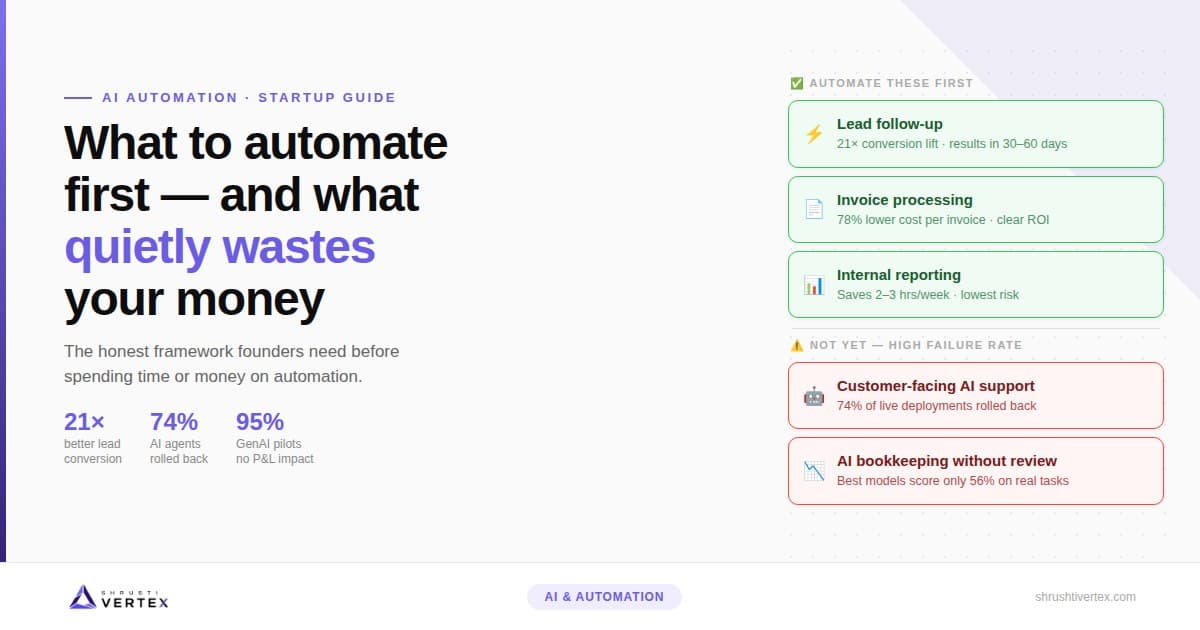
0×
better lead conversion when responding within 5 minutes vs. 30 minutes (MIT Sloan / InsideSales.com, 15,000+ leads)
0%
of live AI customer agents have been rolled back after deployment (Sinch, 2,500 senior decision-makers, 2026)
0%
of GenAI pilot integrations delivered no measurable bottom-line impact (MIT research, 300 organisations)
Every AI automation guide promises you'll save 10 hours a week. Almost none of them mention the hours you'll spend fixing things when an integration breaks silently at 2am — or the fact that you won't know it broke until a lead emails asking why nobody followed up.
This is the guide that covers both sides of that equation. What AI automation for small business actually delivers at the 2–20 person stage, what it doesn't, and how to run the math honestly before you commit time or money to any of it.
Why Most Startup Founders Get This Wrong from the Start
The technology isn't the problem. The order of operations is.
Most founders automate the wrong thing first — either because a tool's demo looked impressive, or because someone told them AI customer support was the highest-ROI starting point (it usually isn't, at the startup stage). They spend weeks setting something up, it works for a month, then an app updates and the whole workflow quietly stops running. Nobody gets an alert. The mess builds up in the background.
An MIT research report on GenAI deployment across 300 organisations found that 95% of integrated AI pilots delivered no measurable impact on the bottom line. That's not because the tools don't work. It's because most companies automated before the underlying processes were clean enough to automate — and because the rollout order was wrong.
Automating an inconsistent process. If your team handles the same task differently depending on who's doing it, automation doesn't fix that — it accelerates it. A founder who automated inventory reordering before addressing data quality issues ended up with the automation ordering based on inaccurate stock counts and made things worse than manual ordering had been. The automation was technically working perfectly. The problem was the data feeding it.
Deploying customer-facing AI before the internal process is ready. This is the one that damages brands. If your support team is still figuring out what the most common questions are, you're not ready to hand that to an AI. Fix the internal process first. Then automate.
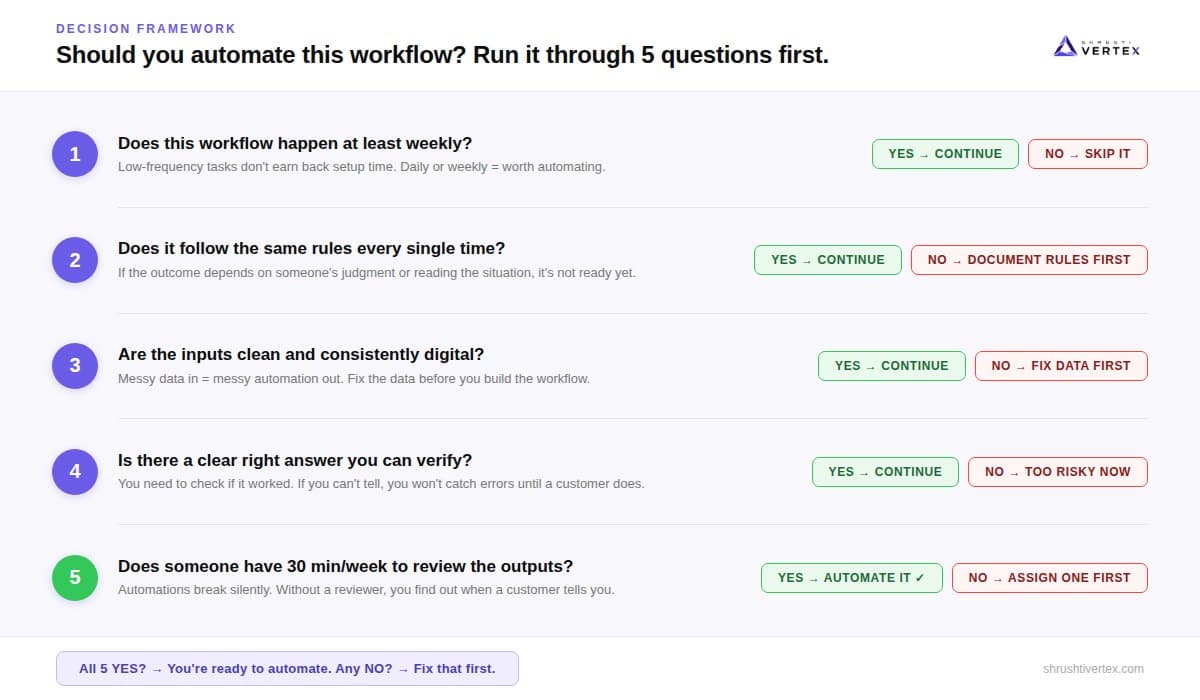
The Five-Question Test — Run This Before You Automate Anything
Before you spend a single hour on any automation project, put the workflow through these five questions. If it fails any one of them, the automation will either break, cost more than it saves, or create a bigger problem than you had before.
- Does this happen at least weekly? Low-frequency tasks — quarterly reports, annual reviews, one-off approvals — aren't worth the setup time. The ROI only compounds if the workflow runs often enough to earn back what you invested.
- Does it follow the same rules every time? If the outcome depends on judgment — reading a situation, making a call, handling an exception — it's not ready for automation yet. Document the rules first. Automate after.
- Does it have clean, consistent digital inputs? Automation can't fix messy data. If the information feeding the workflow is inconsistent, incomplete, or lives across three different spreadsheets, clean that up first. Otherwise you're automating the chaos.
- Is there a clear right answer you can verify? You need to be able to check whether the automation did the right thing. If you can't tell — if the output is a judgment call or highly variable — you won't catch errors until they've already caused damage.
- Does someone have 30 minutes a week to review the outputs? Every automation needs a human reviewer, at least for the first few months. Not because the AI can't do the task — but because when something goes wrong, it goes wrong silently. The reviewer catches it before a customer does.
If a workflow passes all five, it's a candidate. Start there.
Where AI Automation Actually Delivers for Startups
Three functions consistently produce fast, reliable ROI at the startup stage. They all share the same shape: high frequency, consistent rules, clean digital inputs, verifiable output, and low stakes if something goes slightly wrong.
Responding within 5 minutes makes a lead 21× more likely to qualify than waiting 30 minutes.
— MIT Sloan & InsideSales.com, 15,000+ web leads
Lead follow-up is the highest-ROI automation most founders aren't running yet. A Harvard Business Review audit found the average business takes 42 hours to respond to an inbound web lead — and nearly a quarter never respond at all. An automated first response doesn't close the deal. It keeps the deal alive until a human can take over. For a startup where the founder is often the only salesperson, that gap matters enormously. Setup time: 2–4 days for a basic version. Results visible within 30–60 days.
Invoice and document processing: manual invoice processing costs roughly ₹1,050 per invoice and takes an average of 17 days to complete. Businesses with automated AP processing bring that cost down by 78% and cut processing time to 3 days. At 50 invoices a month, the math works out quickly — but only if the invoice data coming in is clean and consistent. This one fits the five-question test almost perfectly: it's frequent, rule-based, has digital inputs, has a clear right answer, and a finance reviewer catches any errors before they reach the books.
Internal reporting and data movement between systems is the invisible job nobody on your team was hired to do — pulling weekly sales numbers from your CRM, combining them with data from your project tool, and dropping them into a report format. It happens every week. It takes 2–3 hours. It follows the same rules every time. And it's completely automatable. This is usually the fastest win: it saves founder time immediately and has essentially zero downside risk. Setup time: 1–2 days per workflow. Immediate time saving.
Related Service
Agentic AI Solutions
We build automation that passes the five-question test — then maintain it so it doesn't break silently at 2am.
Where Founders Burn Money
Three automation categories that sound right but fail more often than they work at the startup stage.
Customer-facing AI support deployed to cut headcount costs. A 2026 survey of over 2,500 senior decision-makers by Sinch found that 74% of organisations have had to roll back or shut down a live AI customer-communications agent after deploying it. The most commonly cited reason: quality dropped below what customers would accept. If you want to use AI for customer support, start with a narrow scope — FAQs only, with a clear human handoff for anything outside that list. Expand once you know the failure modes.
Automating a process that isn't documented or consistent. There's a version of this mistake that costs founders ₹3–4 lakhs before they realise what happened. The pattern is always the same: the automation is built correctly, it runs correctly, and it produces the wrong results — because the process feeding it wasn't clean. You can't automate your way out of a process problem. Fix the process manually first. Once it's consistent and documented, then automate it.
AI for finance and accounting without a review layer. The APEX-Accounting benchmark, published in July 2026, tested frontier AI models across real accounting tasks authored and graded by accounting experts. The best model scored 56.4% on real tasks. That's not a reason to avoid AI in finance entirely — it's a reason to never use it without a review layer. AI can draft entries, categorise transactions, and flag anomalies. It cannot close your books unsupervised at the startup stage.
The Cost Calculation Every Vendor Skips
Every tool shows you one number: the monthly subscription price. The real total cost of any automation has five components, and most vendors only mention the first one: tool cost (always quoted), setup and build time (rarely mentioned), ongoing human review time (almost never mentioned), maintenance when APIs change or integrations break (almost never mentioned), and rebuild cost when a major update forces a full redesign (never mentioned).
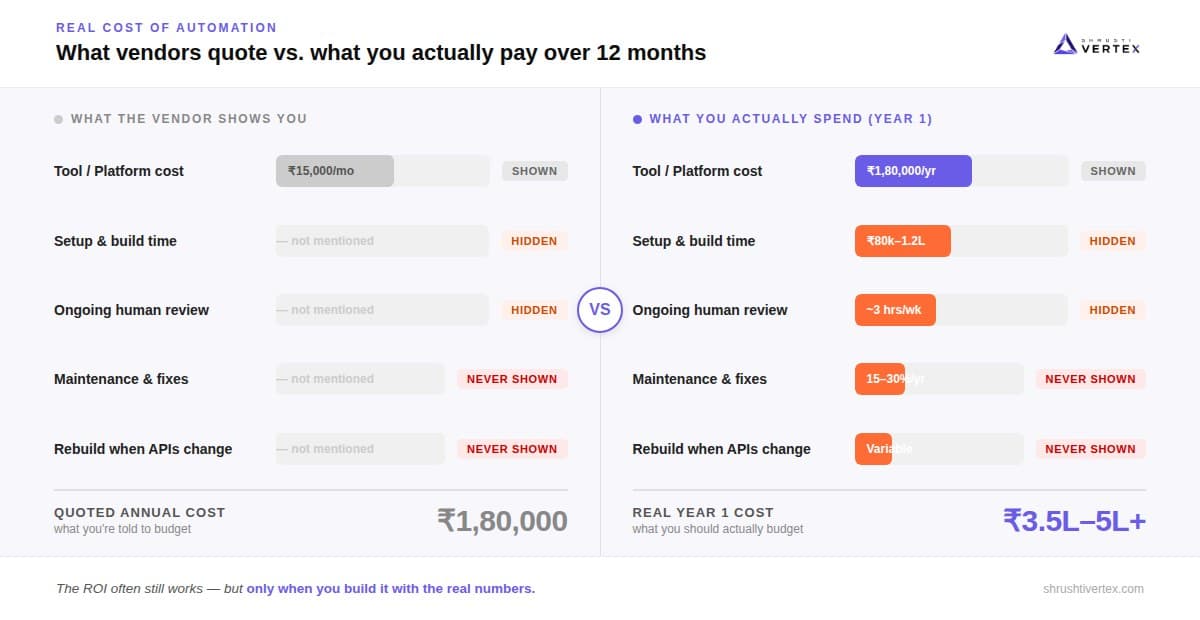
Here's what that looks like in practice. A founder sees a tool that costs ₹15,000/month and is told it'll save 15 hours a month. The math looks obvious. But the full picture is: ₹15,000 tool + ₹80,000–1,20,000 one-time setup cost + 3–4 hours per month of team review time + roughly 15–20% of the build cost per year in maintenance. When you put those numbers in, the ROI often still works — but the payback period looks different. The question to ask before signing up for any automation project: what is the total cost over 12 months, including my team's time?
The ShrushtiVertex Perspective
The founders who get the most out of AI automation aren't the ones who automate the most. They're the ones who automate the right three things, keep a human reviewing the output, and focus the rest of their energy on building the business while the automation runs in the background. Start with the boring stuff. Measure it honestly — not the vendor's numbers, your numbers. Then expand when the first one is genuinely stable.
A Note from ShrushtiVertex
We've helped founders run this calculation honestly — not the vendor's projected savings, but the actual 12-month cost including team time, maintenance, and rebuild risk. If you want to map the five-question test against your specific workflows and get a genuine cost estimate before committing to anything, that's a 30-minute conversation. No pitch. Just the numbers.
Frequently Asked Questions
It depends on what you're building. A single lead follow-up trigger: 2–4 days. A multi-step workflow connecting 3–4 tools: 4–8 weeks. A custom-built solution: 2–4 weeks with a developer. The 'set it up in an afternoon' pitch is usually for the simplest possible version — not the one that handles the edge cases your business actually runs into.
For off-the-shelf tools that connect your existing apps: no developer needed. For anything custom, or involving your own data pipelines: yes, or you need someone who does. The honest test — if you can't describe exactly what the workflow should do in plain English, including what happens when something goes wrong, you're not ready to build it yet.
Lead follow-up, almost always. Research is clear — speed to first response is the single highest-impact variable in converting inbound leads, and most startups have a significant gap here simply because the founder is handling too many things at once. It doesn't require clean data, doesn't require complex logic, and you'll see the result within weeks.
The two most common failure modes are: automating an inconsistent process (the automation runs correctly but produces wrong results because the underlying data isn't clean) and deploying customer-facing AI before internal processes are documented. An MIT study found 95% of GenAI pilots delivered no measurable bottom-line impact — almost always because rollout order was wrong, not because the technology failed.
About the Author
Shrushtivertex
Shrushtivertex is a technology engineering company helping startups and enterprises build scalable cloud infrastructure, AI solutions, web applications, mobile apps, and blockchain platforms.
Newsletter
Stay Ahead of Technology
One practical engineering insight every month. No noise, no spam.
Related Articles
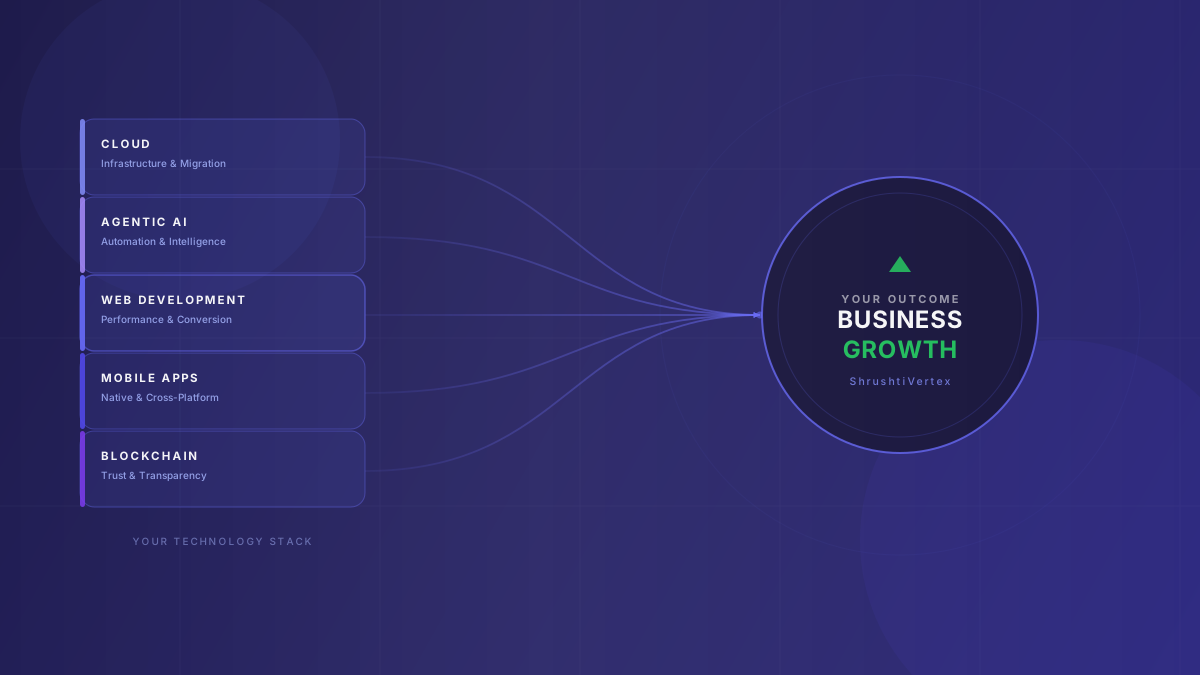 Digital Transformation7 min read
Why Every Modern Business Needs a Technology Partner—Not Just a Software Development Company
The gap between a software vendor and a true technology partner is strategic, not technical. Here's why that distinction defines how fast your business grows in the next decade.
Read article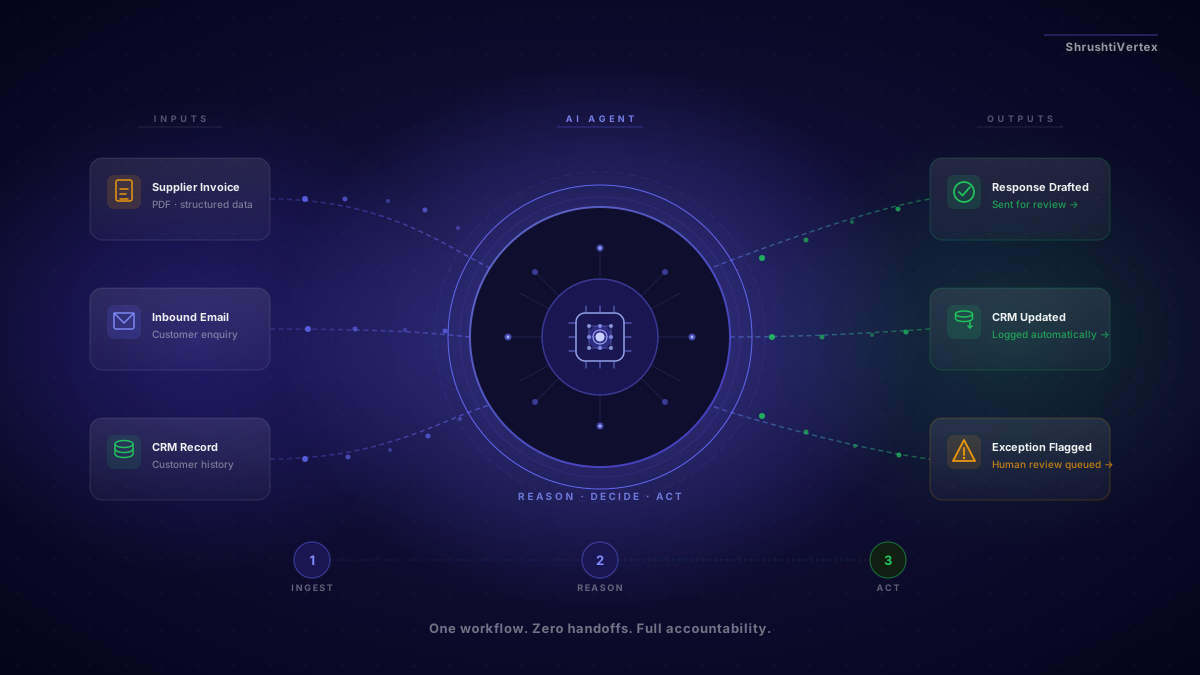 Agentic AI8 min read
How to Use Agentic AI to Automate Your Business Operations — Where to Start
Most businesses are interested in AI automation — they just don't know where to start. This guide shows you how to find the right first workflow, make the financial case, and build confidence before you scale.
Read article Agentic AI10 min read
Agent Harness vs AI Agent: Why Your AI Build Fails in Production (And How to Fix It)
Your agent passed the demo. Three weeks into production it's marking tasks complete that aren't finished, losing context between sessions, and nobody can reproduce the failure — because the bug isn't in the agent. It's in what you built around it.
Read article